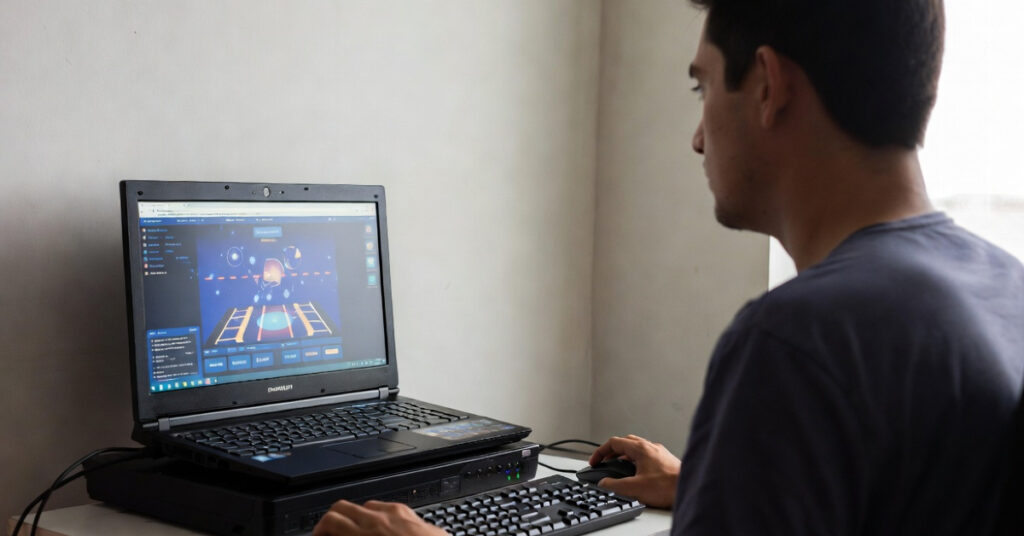
Not everyone owns a high-end gaming PC — and that’s completely okay. If you have a low-end computer with limited RAM, storage, or graphics power, you can still enjoy amazing games without downloading anything. Thanks to modern browser-based technology, many online games now run smoothly directly from your web browser. In this article, we’ll explore the best online games for low end PC without download, so you can start playing instantly without worrying about system requirements.
Why Choose Browser Games?
Before jumping into the list, here’s why browser games are perfect for low-end PCs:
-
No installation required
-
No heavy storage usage
-
Minimal RAM consumption
-
Works on older laptops and PCs
-
Instant play
All you need is a stable internet connection and an updated browser like Chrome or Edge.
Top 10 Online Games for Low End PC Without Download
1. Krunker.io
If you love fast-paced FPS games but your PC can’t handle heavy titles like Call of Duty, Krunker.io is a fantastic alternative.
This lightweight first-person shooter runs directly in your browser and offers smooth gameplay even on very basic systems. It features multiple game modes, customizable characters, and competitive multiplayer battles.
Why it’s great for low-end PCs:
-
Low graphics requirements
-
Adjustable quality settings
-
Fast loading
2. Agar.io
Agar.io is one of the most popular browser games ever created. The gameplay is simple but highly addictive. You control a small cell and try to consume smaller players while avoiding larger ones.
It runs extremely well on low-end machines because it uses simple graphics and minimal system resources.
Perfect for:
-
Casual gaming
-
Quick play sessions
-
Slow PCs
3. Slither.io
If you enjoyed the classic Snake game, you’ll love Slither.io. It’s a multiplayer snake game where you grow longer by consuming glowing orbs while avoiding other players.
The game runs smoothly in most browsers and does not require installation.
Why it’s ideal:
-
Lightweight
-
Simple controls
-
No graphics card required
4. 2048
For puzzle lovers, 2048 is a must-play. It’s a number-combining puzzle game that challenges your logic skills.
Since it’s extremely lightweight, it works perfectly on:
-
Old Windows laptops
-
Low RAM computers
-
Even school or office PCs
No lag. No installation. Just pure brain training.
5. Tetris (Browser Version)
Tetris never gets old. Many websites offer free browser-based Tetris that works smoothly even on low-end systems.
Why it’s recommended:
-
Minimal system usage
-
Smooth gameplay
-
Great for short breaks
6. Forge of Empires
If you enjoy strategy games but can’t install heavy titles like Civilization, Forge of Empires is a browser-based alternative.
It’s a city-building and strategy game where you expand your empire through different historical ages.
Although slightly heavier than simple puzzle games, it still runs well on low-spec PCs.
7. Realm of the Mad God
For fans of multiplayer RPG games, Realm of the Mad God is a great browser-based choice. It combines classic 8-bit style graphics with online cooperative gameplay.
Why it works on low-end PCs:
-
Pixel graphics
-
Lightweight design
-
Runs in browser
8. Tanki Online
If you enjoy tank battle games, Tanki Online offers competitive multiplayer tank combat directly in your browser.
It includes upgrades, different maps, and smooth performance even on weaker systems when graphics settings are lowered.
9. Chess.com (Browser Version)
For strategic minds, playing chess online is always a good idea. Platforms like Chess.com allow you to play instantly without installing any software.
It runs perfectly on:
-
Low RAM systems
-
Older laptops
-
Basic office PCs
Plus, it improves your thinking skills.
10. MiniRoyale 2
If you want a lightweight battle royale experience, MiniRoyale 2 is a browser FPS game that works surprisingly well on low-end PCs.
It offers:
-
Quick matches
-
Smooth controls
-
No downloads
You may need to lower graphics settings for best performance.
Tips to Improve Gaming Performance on Low-End PC
Even browser games can lag sometimes. Here are some tips to improve performance:
1. Close Background Apps
Shut down unnecessary programs to free up RAM.
2. Use Lightweight Browser
Google Chrome works well, but Microsoft Edge often consumes less RAM.
3. Disable Extensions
Too many browser extensions slow down gaming performance.
4. Lower In-Game Settings
Most browser games allow graphics adjustments.
5. Clear Browser Cache
This helps improve speed and responsiveness.
Minimum Requirements for Browser Gaming
To play most browser games smoothly, you only need:
-
2GB–4GB RAM
-
Dual-core processor
-
Updated browser
-
Stable internet connection
Even a 5–10 year old laptop can handle most of these games.
Final Thoughts
You don’t need an expensive gaming PC to enjoy online games. Many developers now create optimized online games for low end PC without download. Whether you enjoy shooters, puzzles, strategy games, or multiplayer battles, there are plenty of options available without downloading anything.
Browser games are convenient, lightweight, and perfect for students, office users, or anyone with limited hardware.
So open your browser, pick a game from this list, and start playing instantly!