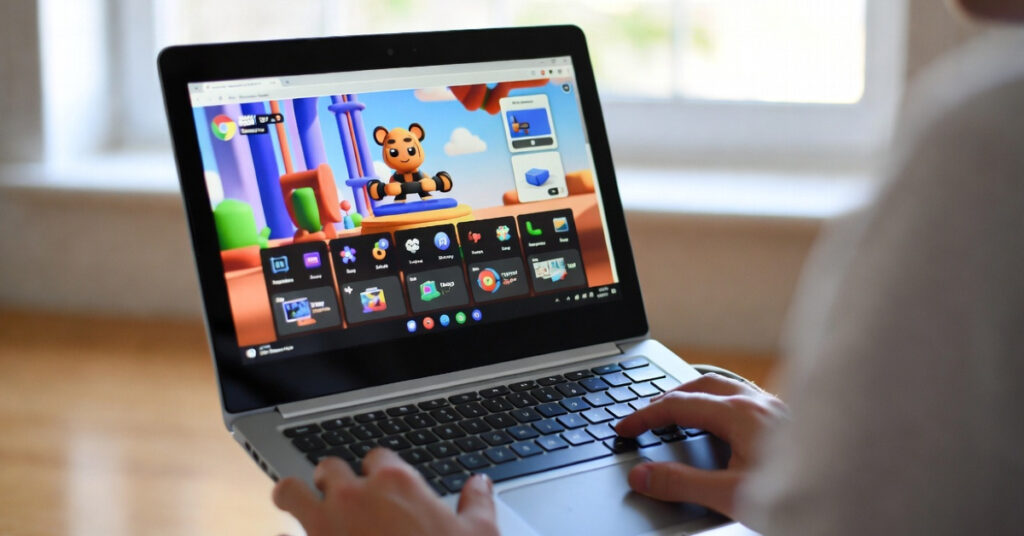
Sales of Chromebooks have skyrocketed in the United States, and for good reason, as they are marketed for students, casual gamers, and people who want a lightweight computer for simple day-to-day tasks. Although Chromebooks can’t run most PC games, they are a solid choice for browser-based online gaming. These games are free to play and can be played instantly with the use of an internet connection. No downloads and no expensive hardware are needed. In this guide, we’ll explore the best online games that work on Chromebook in the USA, how Chromebook gaming works, and why browser-based games are becoming increasingly popular.
Why Chromebooks Are Good for Online Gaming
The online gaming experience with Chromebooks is enhanced because of ChromeOS, the operating system they run on. It is a web-application-based OS. Most Chromebooks have low-end hardware. Because of this, they won’t be able to run regular PC games. However, this is actually a good thing because it will allow them to run browser games and cloud-based games. These types of games rely on internet connectivity more than the hardware and processor of the device.
Here are a few reasons why Chromebooks are ideal for online games:
- No installation required
- Fast loading browser performance
- Automatic updates
- Lower system requirements
- Works on school or budget laptops
All you usually need is:
- Updated Chrome browser
- Stable internet connection
- Keyboard, mouse, or touchpad
With these simple requirements, many games can run smoothly on Chromebook devices.
Best Online Games That Work on Chromebook USA
Here are some of the most popular Chromebook-friendly online games that players in the USA enjoy.
1. Shell Shockers
One of the most entertaining browser shooters is Shell Shockers. In this game, you control an egg armed with different weapons and compete in multiplayer battles.
Features:
- First-person shooter gameplay
- Multiple weapons and modes
- Online multiplayer matches
- Works smoothly in browsers
Released in 2017, this game became one of the most popular browser shooters thanks to its unique egg-based combat and simple controls.
Because it runs directly in a browser, Shell Shockers works perfectly on Chromebook without needing downloads.
2. Free Rider HD
If you enjoy physics-based racing games, Free Rider HD is an excellent choice.
Gameplay highlights:
- Ride a bike across custom tracks
- Perform flips and tricks
- Create your own levels
- Play thousands of community tracks
This browser racing game has attracted millions of players and features over 900,000 user-created tracks, making it one of the largest online racing communities.
Since it is lightweight and browser-based, it runs smoothly on Chromebooks even with limited hardware.
3. Skribbl.io
Skribbl.io is a fun multiplayer drawing and guessing game that works perfectly on Chromebooks.
How it works:
- One player draws a word
- Other players guess what it is
- Points are awarded for correct guesses
Why people love it:
- Multiplayer fun with friends
- No download required
- Works on school Chromebooks
- Simple browser gameplay
It’s especially popular among students in the USA because it can be played quickly during breaks or free time.
4. Among Us (Browser Version)
Although originally released as a mobile and PC game, Among Us can also be played through browser platforms.
In the game:
- Players work together on a spaceship
- One or more players are impostors
- The goal is to discover the impostor before everyone is eliminated
Because the game focuses on teamwork and strategy, it remains one of the most popular social games among students and casual gamers.
5. Subway Surfers (Browser Version)
Subway Surfers is one of the most recognizable endless runner games in the world.
Game features:
- Run through subway tracks
- Dodge trains and obstacles
- Collect coins and power-ups
- Unlock characters and boards
The browser version runs smoothly on Chromebook and loads quickly even on low-end devices.
6. Chrome Dino Game
Every Chromebook user has probably played the Chrome Dino Game at least once.
This built-in game appears when the internet connection is lost. Players control a pixel dinosaur jumping over cacti and obstacles.
The game was developed by Google in 2014 and is built directly into the Chrome browser.
Even though it started as an offline mini-game, it has become one of the most iconic browser games.
7. Shakes & Fidget
If you enjoy RPG adventures, Shakes & Fidget is a great browser-based MMORPG.
What makes it fun:
- Character customization
- Dungeon battles
- Online guilds
- Fantasy storyline
Originally released in 2009, this free-to-play browser game is still popular today and supports multiple languages and online multiplayer features.
It runs perfectly on Chromebooks because it was designed specifically for web browsers.
Types of Online Games That Work Best on Chromebook (USA)
Not all games run well on Chromebook hardware. However, several categories perform extremely well.
1. Browser Games
These games run directly in Chrome without installation.
Examples:
- IO games
- Puzzle games
- Multiplayer drawing games
2. HTML5 Games
Modern HTML5 games replaced Flash games and run smoothly in browsers.
Examples:
- Platform games
- Racing games
- Arcade titles
3. Cloud Games
Cloud gaming services allow Chromebooks to stream games from powerful servers instead of running them locally.
Some services allow users to stream thousands of PC games directly to a Chromebook, making high-end gaming possible without strong hardware.
Tips for Playing Online Games on Chromebook
To get the best performance while gaming on Chromebook, follow these tips:
1. Use the Chrome Browser
Chromebooks are optimized for Chrome, so browser games run best there.
2. Close Extra Tabs
Too many open tabs can slow down performance.
3. Use a Mouse
Many online games play better with a mouse than with a touchpad.
4. Check Your Internet Speed
Multiplayer games require stable connections to avoid lag.
5. Enable Hardware Acceleration
This helps improve graphics performance in the browser.
Why Online Games Are Popular on Chromebooks in the USA
Chromebooks dominate the education market in the United States, especially in schools and universities. Many students use them daily for assignments, research, and entertainment.
Because of this, browser games have become extremely popular since they:
- Work on school devices
- Require no downloads
- Load instantly
- Don’t need powerful hardware
Students often play these games during study breaks, which has increased demand for lightweight online gaming experiences.
The Future of Chromebook Gaming
The future of gaming on Chromebook looks promising thanks to cloud gaming and browser technology.
The ability to play more complex games via the cloud has been made possible by new streaming services, despite the traditional PC gaming platforms having difficulties due to the hardware limitations on ChromeOS.
As internet speed and web tech improve, more online games of a higher caliber will be available directly in the browser for gaming on Chromebooks.
Conclusion
Although designers may not create Chromebooks for heavy gaming, they excel as devices for online and browser-based games. Without requiring powerful hardware or downloads, games like Shell Shockers, Free Rider HD, Skribbl.io, Subway Surfers, and Shakes & Fidget offer hours of entertainment.
For students and casual gamers in the USA, Chromebook gaming is simple, accessible, and fun. The number of games compatible with Chromebooks will only increase as cloud gaming and web technologies advance.